See what's using your Mac's storage, folder by folder
Storage settings tell you a category is big. DiskApp shows you which folder, and what's inside it.
Last updated September 27, 2026
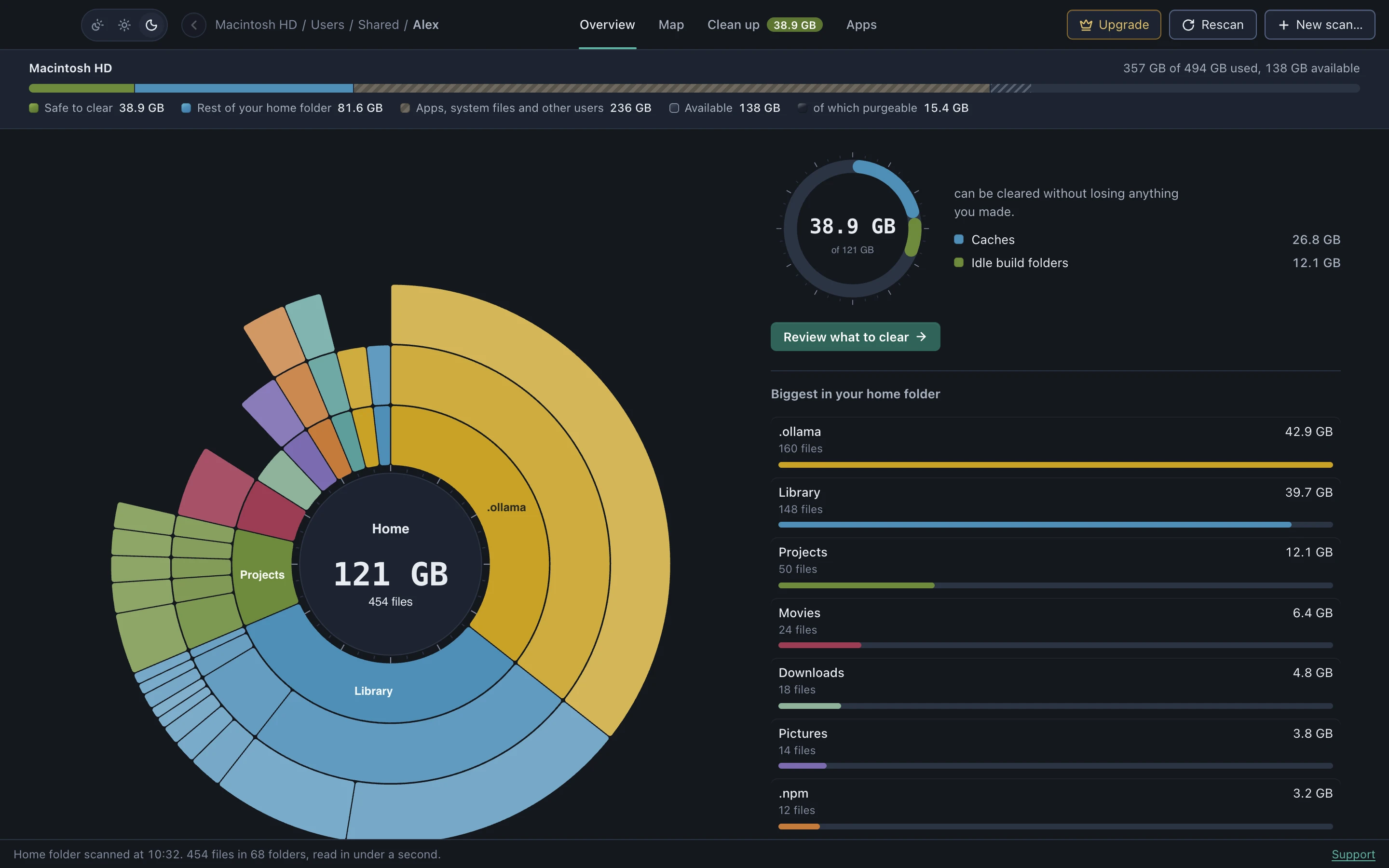
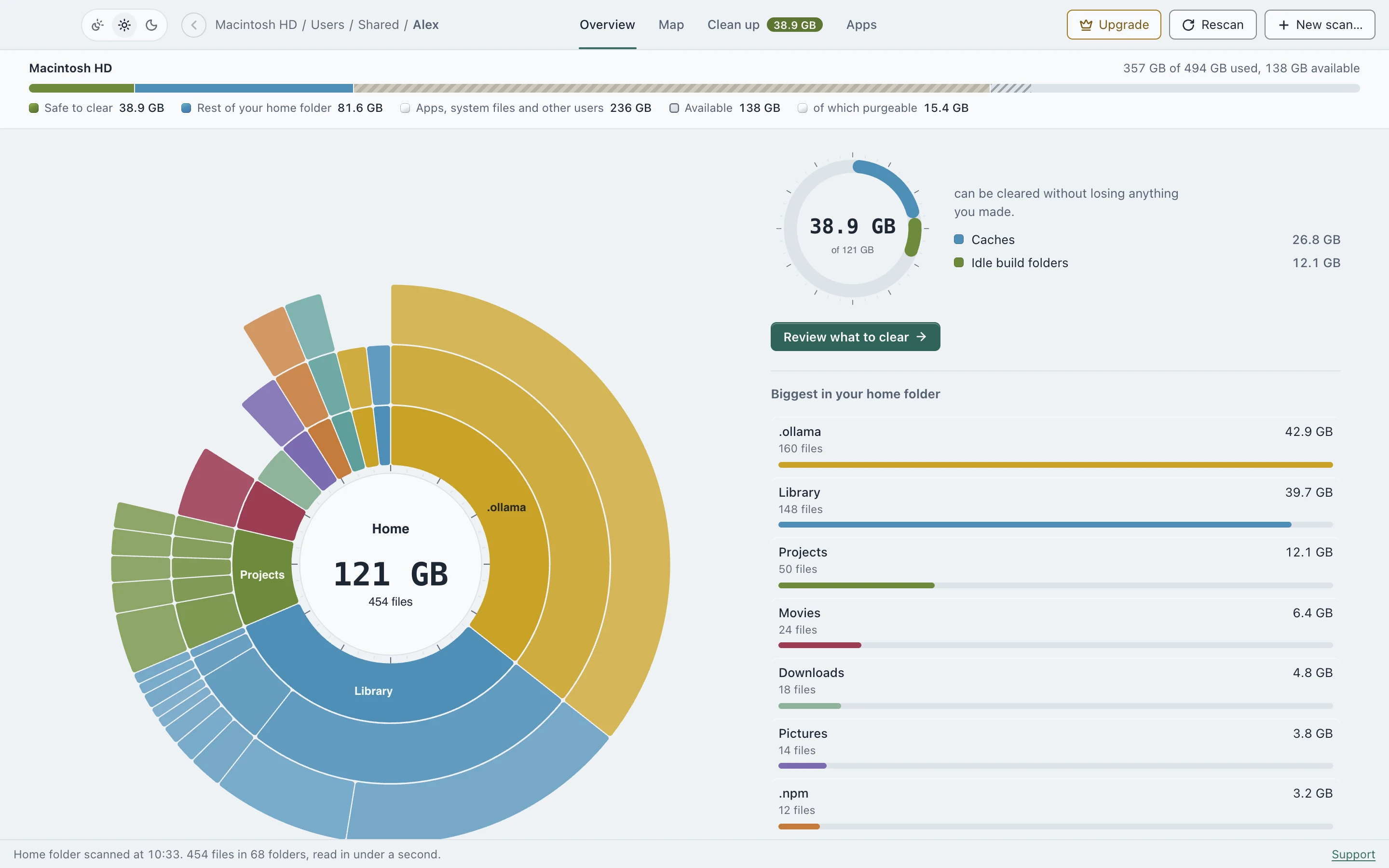
A sunburst you can actually read
The Overview puts your folders in rings around the center. Click a ring to zoom into that folder, click the center to go back up. Next to it, DiskApp lists the biggest folders and how much of the scan is safe to clear.
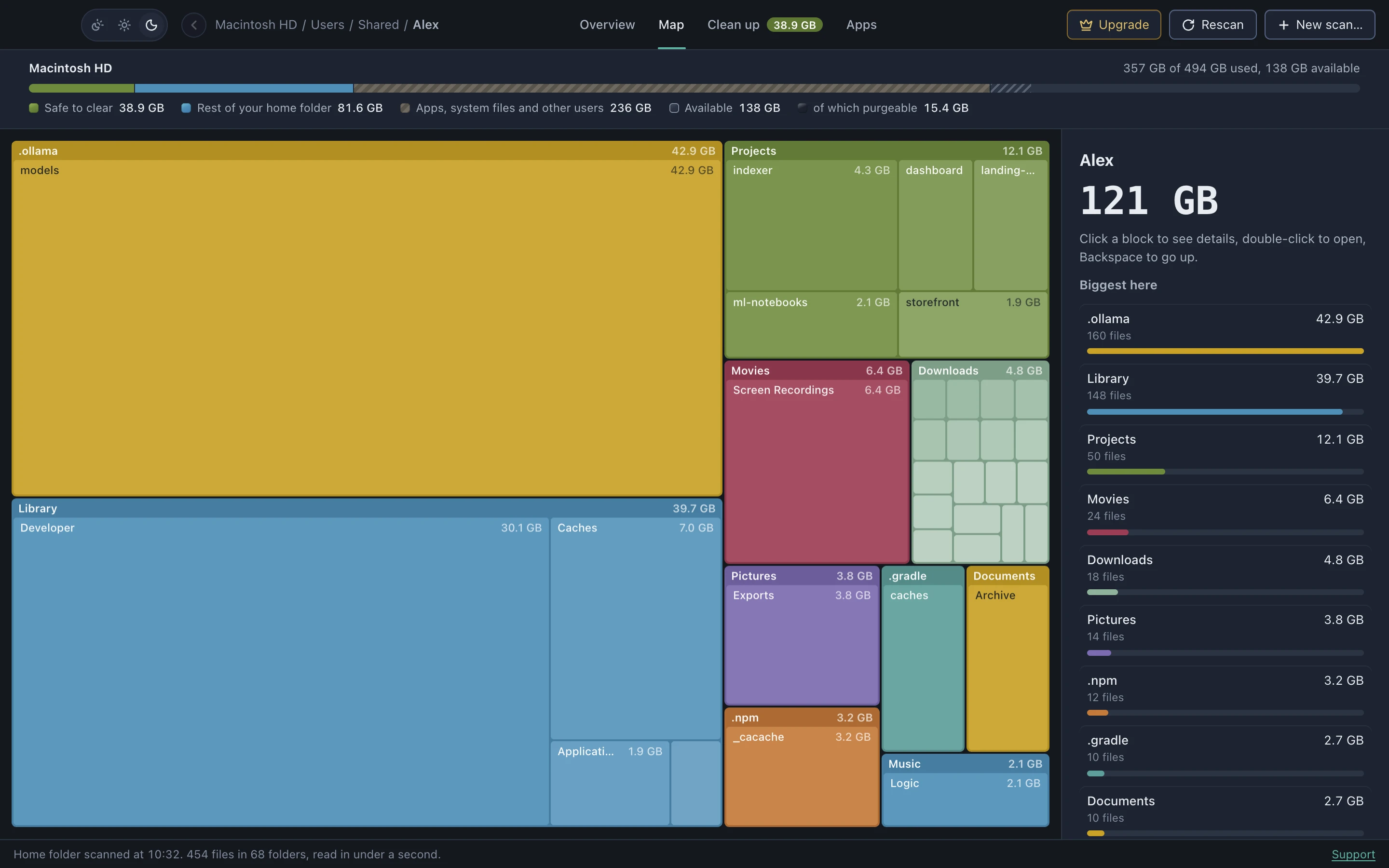
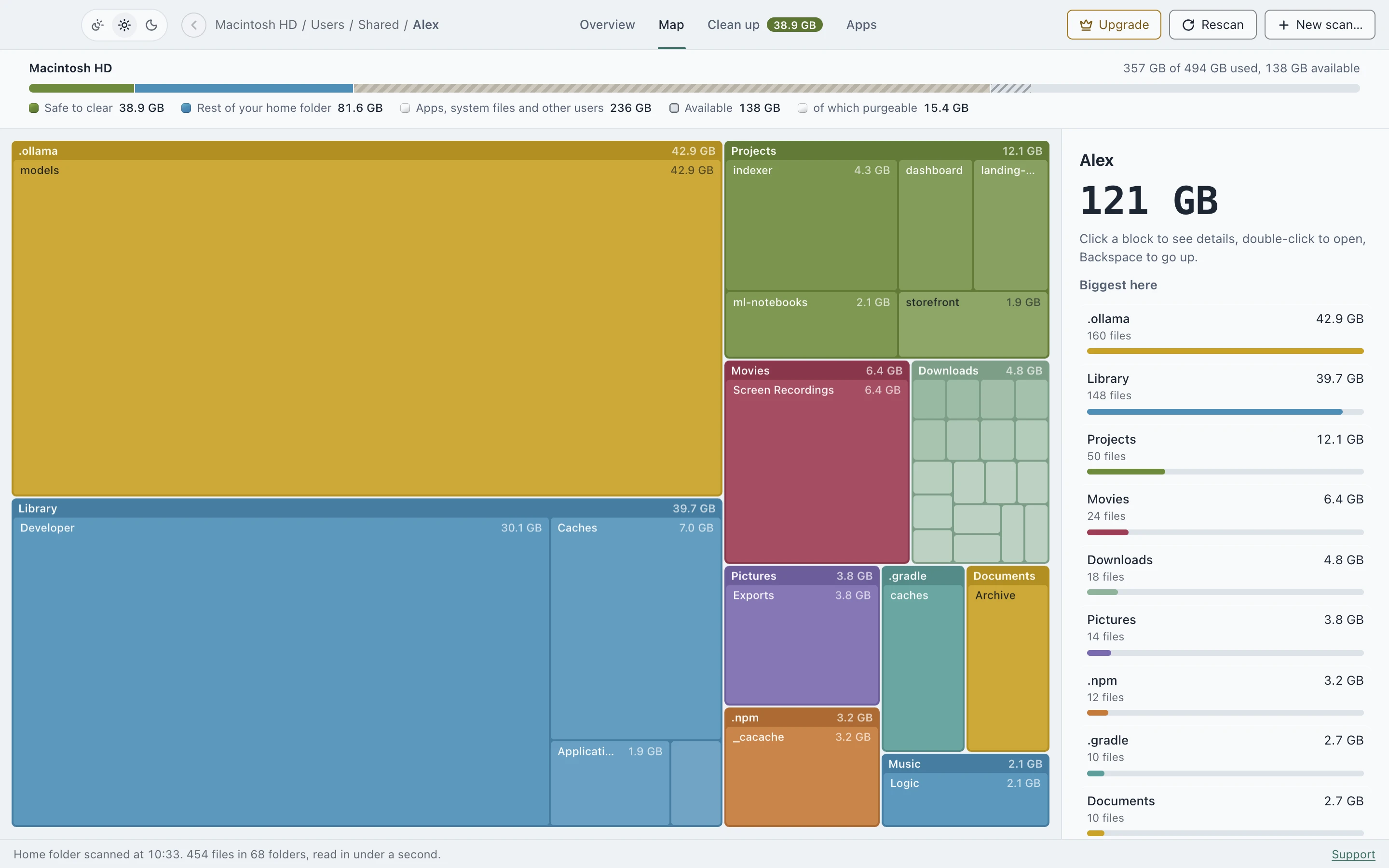
A map of the whole disk
The Map is a treemap: every block is a folder, sized by what it holds. Click a block for details, double-click to open it. It’s drawn on a canvas so it stays smooth past a few million files, not just on a demo folder.
Sizes you can trust
- Every folder is sized by the space it really takes on disk.
- Hard links are counted once, and symlinks are never followed, so nothing is counted twice.
- Scan just your Home folder in seconds, or the entire Mac once you grant Full Disk Access.
Free, and it stays on your Mac
Scanning and both views are free, with no time limit and no account. Nothing about your files is sent anywhere. See the privacy page for the few requests the app does make.
See where your space went
Scanning is free, with no account. DiskApp shows every folder by what it really holds and flags only what a rule can prove is safe to clear.
Download for MacApple Silicon, macOS 13 or later. The first open needs one approval in System Settings, shown here.